Actions and Outputs
When this happens, do this. Control the Kivo Core's outputs and app functions from buttons, inputs and vehicle data.
Applies to: Retail Kit, Kivo Core
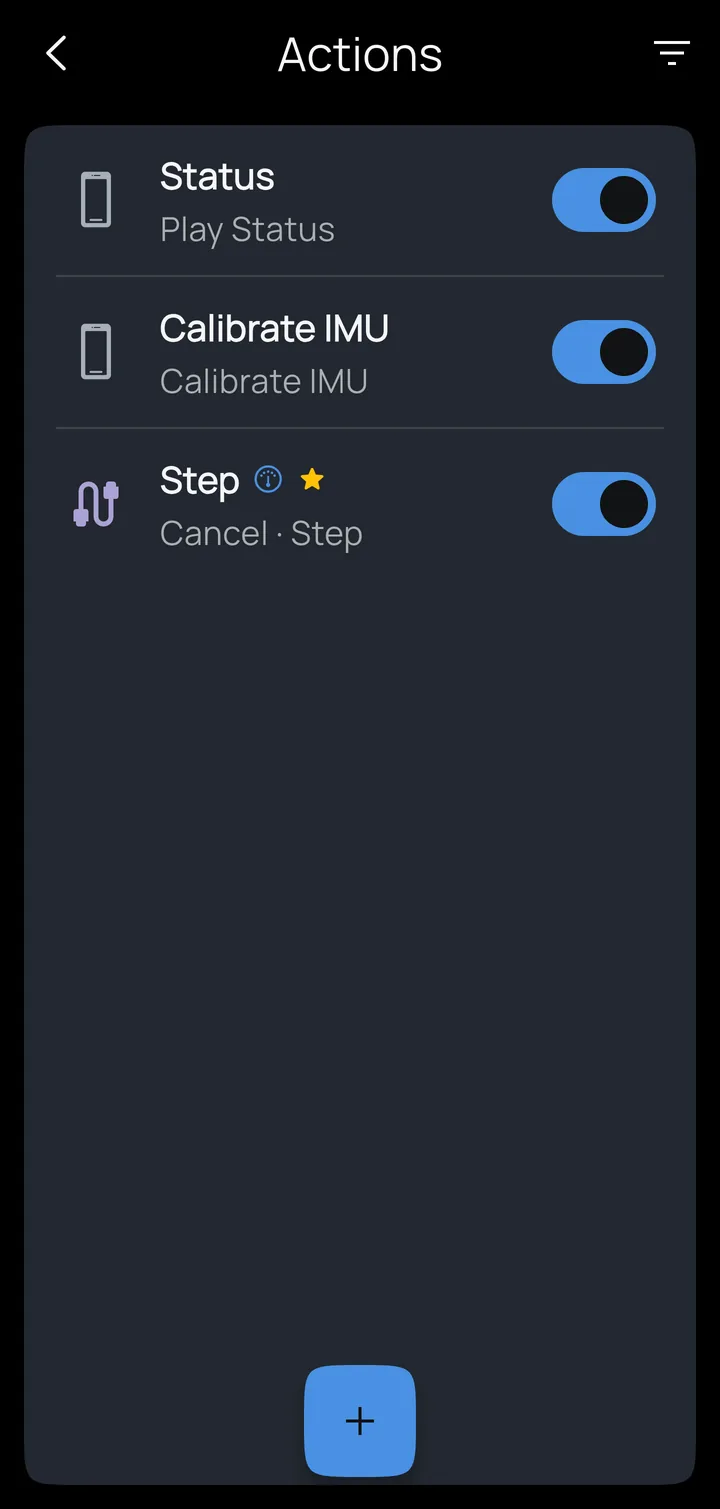
Where alarms tell you things, actions do things. An action connects a trigger (a dashboard button, a wired input on the Kivo Core, an OBD2 value or a CAN signal) to a function. On the home screen, tap Actions; the switch on each row turns it on or off, and + adds one.
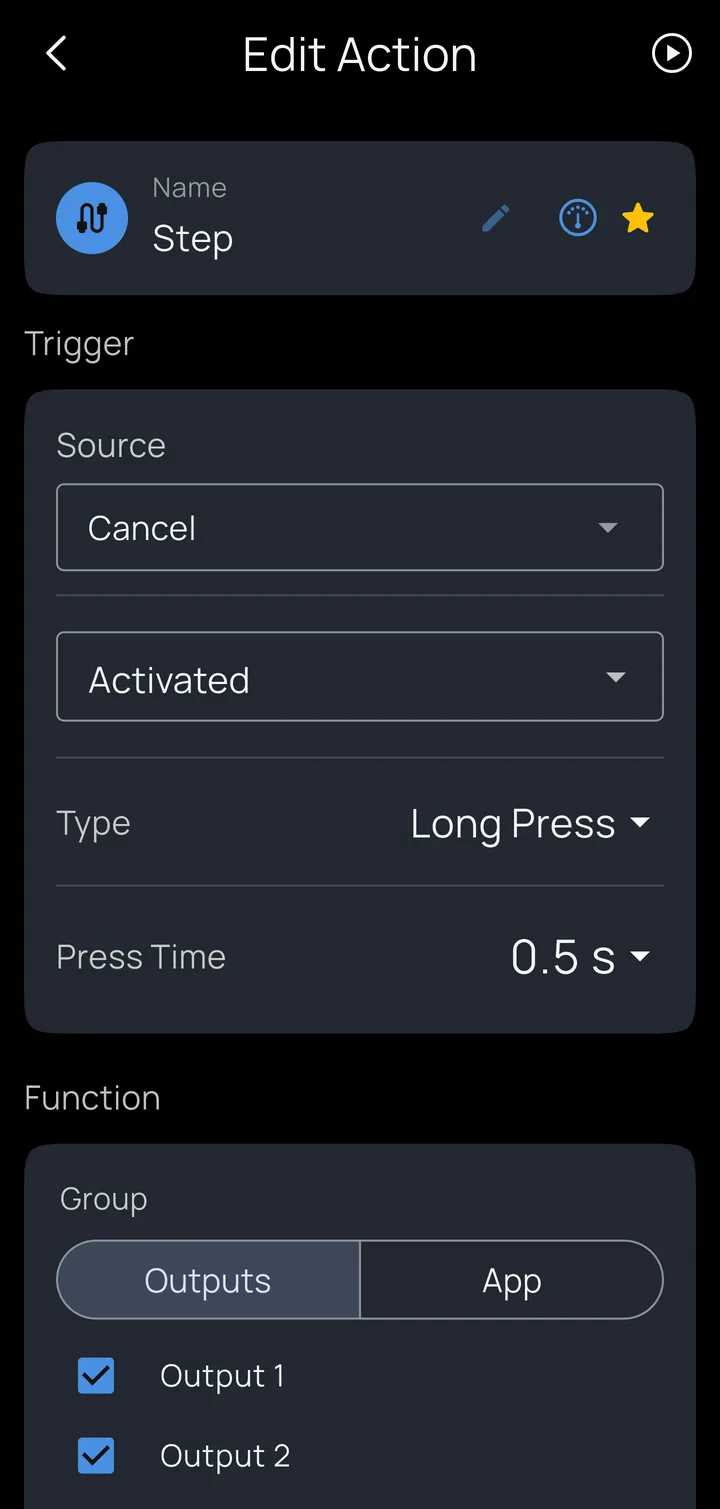
Editing an action
- Source and its state: which input, button or signal, and whether the action happens when it's activated or released.
- Type: Press/Release, Single Tap, Double Tap, Triple Tap or Long Press (with its Press Time). One handlebar button can do several things this way.
- Function: under Outputs, which light outputs it controls and how; under App, an app function.
Light functions
The Kivo Core's two high-power outputs drive auxiliary lights or other electrical accessories at adjustable from 0% - 100%. Under Outputs, choose the outputs and one of:
| Function | What it does |
|---|---|
| Toggle On/Off, Turn On, Turn Off | Switch the outputs. |
| Step | Move to the next higher level on each press. |
| Bright | Full power (for example, while a switch is held). |
| Strobe / Brake Strobe | Attention-getting flash patterns. |
| Modulate | Headlight modulation following FMVSS 108. Check it's legal where you ride. |
| Level Mode | Set a particular level. |
Each function has behaviors that decide how it reacts to its trigger: for example, track an input (brake on → lights to full), switchback (the running light drops out while the turn signal flashes) or momentary (bright only while held).
App functions
Under App: Mute Kivo, Mute Media, Volume Up, Volume Down, Play Status (replay current alerts), Play / Pause, Next Track, Previous Track, Answer Call, End Call, Voice Assistant, Start/End Session, Set Marker and Calibrate IMU (the phone's motion sensors).
Example
A handlebar button wired to an input: a double tap sends both outputs to full; a single tap steps through the power levels; a long press mutes all alerts.
Actions triggered by an OBD2 value or CAN signal crossing a simple threshold are stored in the Kivo Core itself, so they keep working with your phone asleep or not there at all.