Vehicle data over OBD2 (and how fast it updates)
What an OBD2 adapter can read, why the numbers update at the rate they do, and how to get the fastest data.
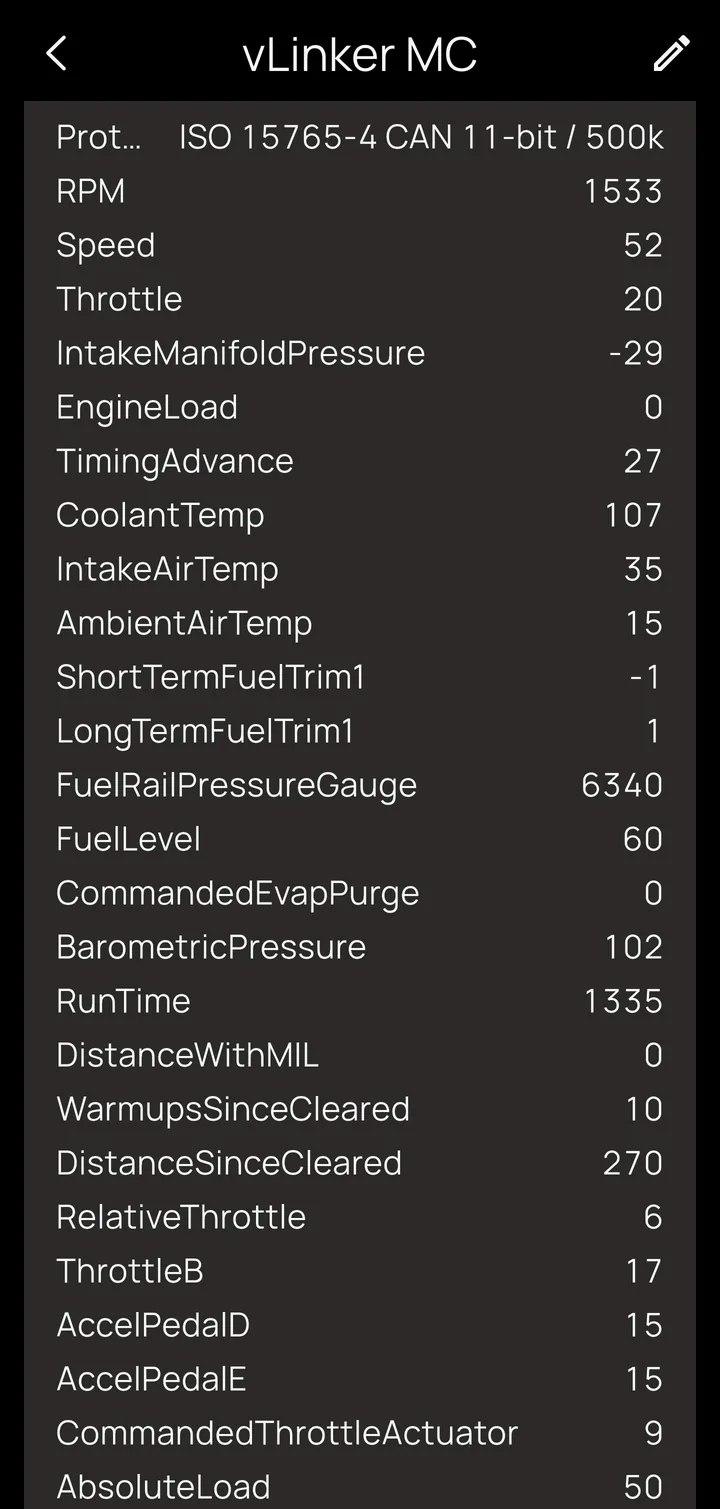
Plug a Bluetooth OBD2 adapter into the vehicle's diagnostic port and Kivo can read engine data: RPM, speed, coolant and oil temperature, throttle, fuel level and trims, battery voltage and more. That's about 44 standard values in all (see the full list). On first connect Kivo asks the vehicle which values it supports, and every picker in the app then shows only those.
Why OBD2 data updates the way it does
This is the most important thing to understand about OBD2, and it comes from OBD2 itself, not the adapter or the app.
OBD2 is question and answer. The adapter asks for one value, waits for the answer, then asks for the next. That gives a budget of roughly 5–10 readings per second, shared by every value being watched.
- The more values you watch, the slower each one refreshes. Two values on a dashboard update several times a second; a dozen might each update every couple of seconds.
- Fast-moving values go first. RPM, speed and throttle are asked for ahead of everything else, and RPM up to about ten times a second, so a tachometer sweeps smoothly. Slow values such as coolant temperature take the leftover slots, which is fine: they don't change ten times a second.
- Kivo only asks for what's in use: values on your dashboard, in an enabled alarm or action, or being recorded. Removing tiles and switching off alarms you don't need speeds up the rest.
- While a ride is recording, every supported value is captured. The ones you aren't watching rotate through slowly in the background, so the recording is complete without slowing your live gauges.
- Adapter quality sets the floor. A good Bluetooth LE or STN-chip adapter answers quickly; cheap clones stretch every round trip.
Tip
Need many signals, many times a second? That's what CAN Bus mode is for.
When the vehicle is off
With the ignition off, most adapters stay powered but the engine computer stops answering. Kivo notices, stays connected and drops to a quiet check every few seconds. You don't get a storm of "disconnected / connected" alerts at every fuel stop, and data comes back within seconds of key-on. In the background, with nothing using the data, polling slows right down to save battery (see Battery life).
OBD2 on the Kivo Core itself
If your Kivo Core is wired to the vehicle's CAN bus and set to CAN / OBD2 mode, the controller asks for OBD2 values on the bus directly, with no adapter needed:
- Speed: answers come back in milliseconds, so RPM refreshes about ten times a second.
- Independence: the settings live on the controller, so polling, and any actions you've set up such as "RPM above 8,000 → flash the auxiliary lights", keep working with your phone asleep or not there at all.
Values Kivo can read
All 44 standard (SAE J1979 Mode 01) values. Your vehicle supports some of them; Kivo detects which and only offers those.
| Group | Values |
|---|---|
| Engine | RPM, vehicle speed, throttle position, engine load, timing advance, mass air flow, intake manifold pressure, run time since start |
| Temperatures | Coolant, intake air, ambient air, engine oil |
| Fuel | Fuel level, short- and long-term fuel trim (banks 1 and 2), fuel pressure, fuel rail pressure (relative and gauge), ethanol percent, fuel rate, injection timing, commanded equivalence ratio |
| Throttle and pedal | Relative throttle, throttle B/C, accelerator pedal D/E/F, commanded throttle actuator, absolute load |
| Emissions | Commanded EGR, commanded evaporative purge, distance and time with the check-engine light on, distance, warm-ups and time since codes were cleared |
| Torque (2010+) | Driver demand, actual and reference torque |
| Other | Battery / control-module voltage, barometric pressure |
Values show in your choice of units (°F/°C, mph/km/h, psi/bar/kPa) under Preferences.