Alarms
When this happens, tell me. Spoken and on-screen alerts for speed, tire pressure, engine data, inputs and more.
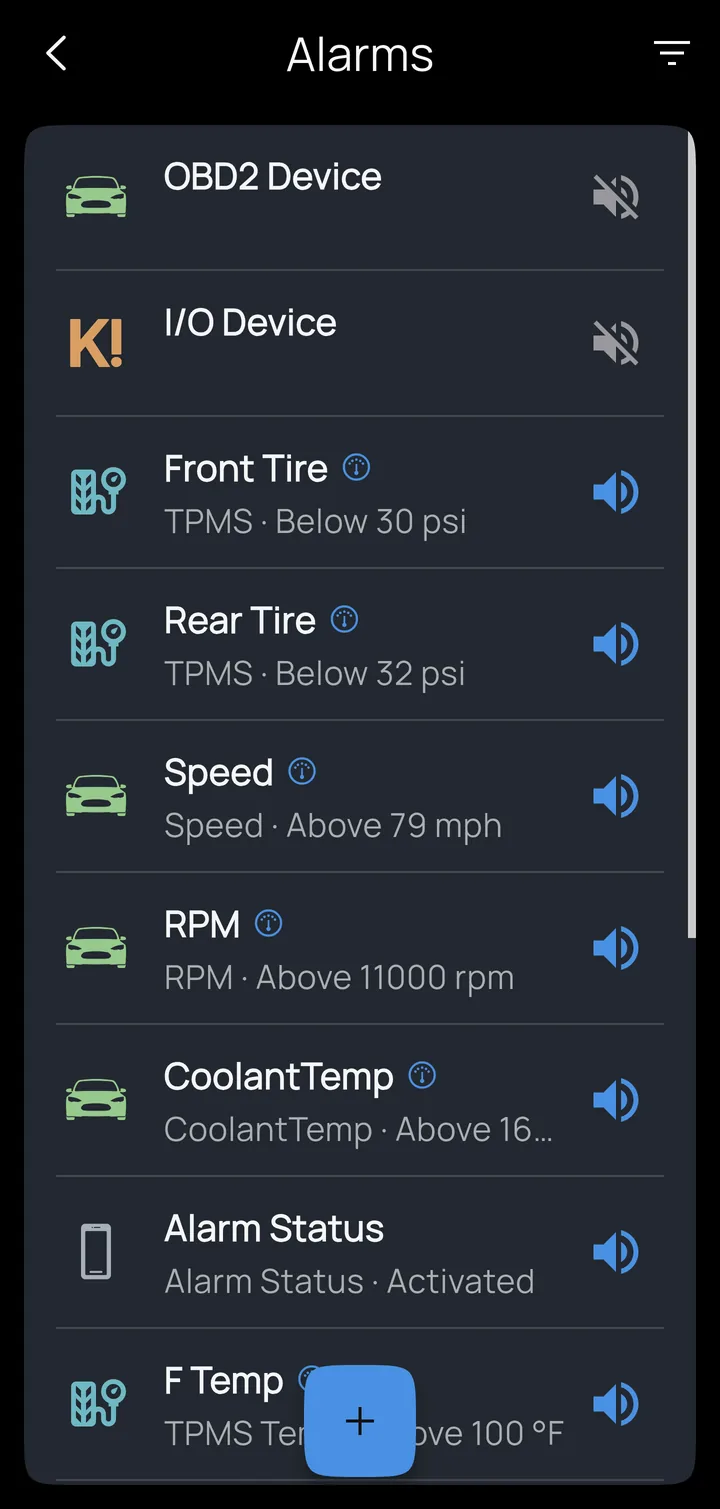
Alarms are at the heart of Kivo: when this happens, tell me. On the home screen, tap Alarms. Each row shows what the alarm watches and its threshold. Tap the speaker to switch an alarm on or off, tap the row to edit it, and tap + to add one.
What an alarm is
An alarm is a trigger and a sound.
Triggers can be anything Kivo can see:
- GPS speed above a limit
- Tire pressure or temperature, for each sensor
- Any OBD2 value or CAN signal crossing a threshold
- The Kivo Core's wired inputs (turn signal left on, brake held…)
- Light output state
- Lean angle, pitch or G-force from the phone
- Trip distance, for maintenance reminders
- App events: a device connecting or disconnecting, GPS found or lost, mute switched, a profile activated, a recording started, paused, marked or stopped
Editing an alarm
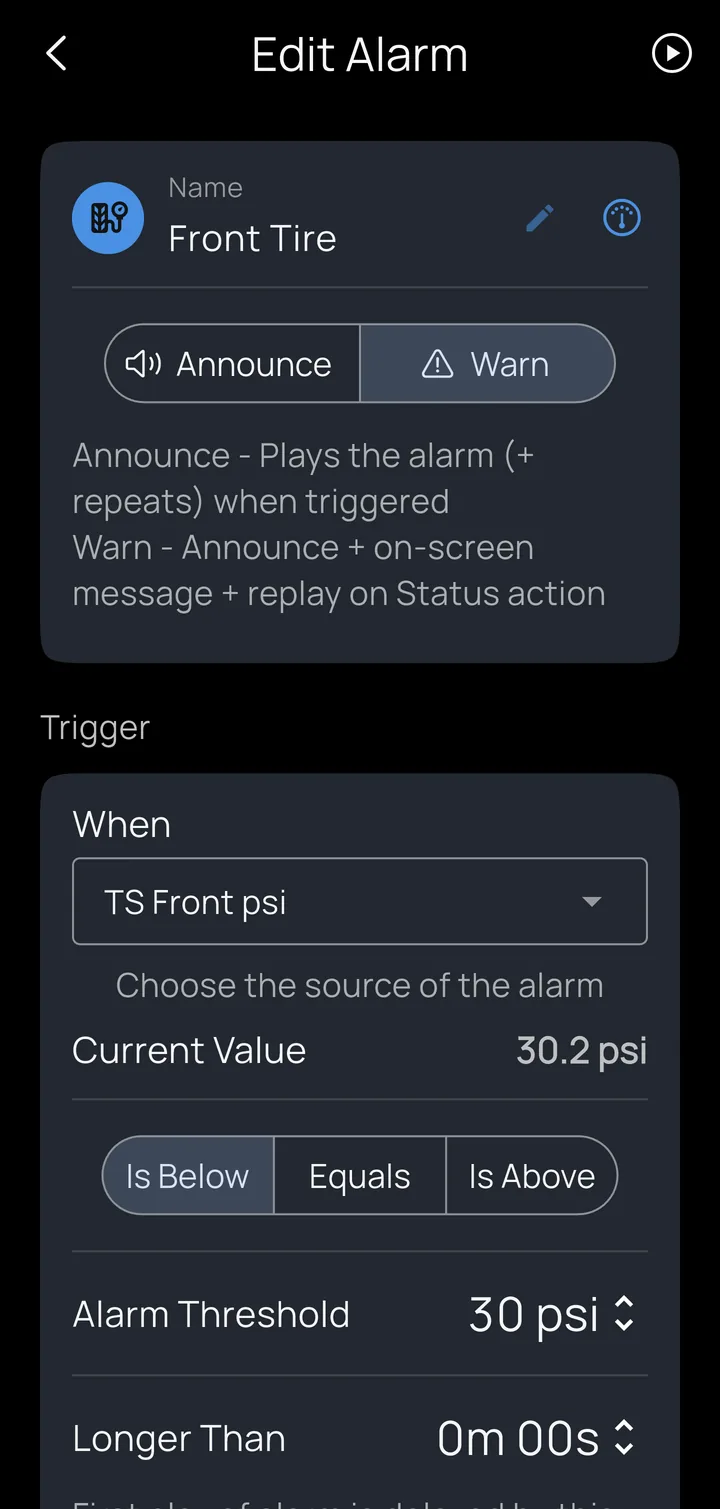
- Name it; the name appears on gauges and in recordings.
- Announce or Warn. Announce plays the alarm (and its repeats) when it triggers. Warn does the same, and also shows a message on the dashboard and plays it again when you use the Status action.
- When chooses the source, with its current value shown live underneath, so you can see what you're setting a threshold against.
- Is Below / Equals / Is Above and the Alarm Threshold.
- Longer Than waits this long before the first alert, so a two-second blip is ignored.
- Re-arm Span waits until the value has moved at least this far back from the threshold before the alarm can fire again, so a reading hovering at the line doesn't set it off over and over.
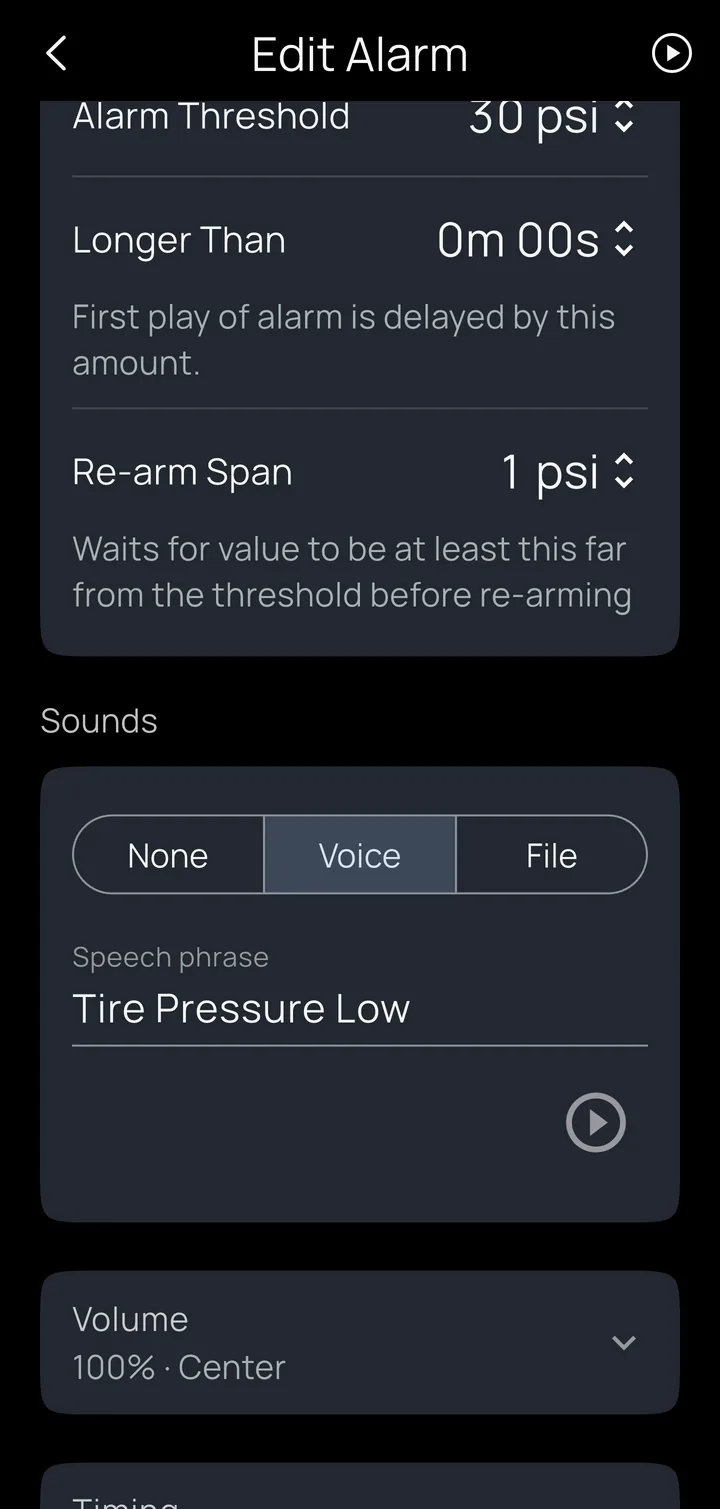
- Sounds: None, Voice (type a phrase for Kivo to say, such as "Check the front" or "Speed, speed", and tap ▶ to hear it) or File (any sound file on your phone).
- Volume and left/right balance, so you can put alerts in one ear.
- Timing: switch Repeat on to play the alarm again every so often until the condition clears.
- Test (▶ at the top right) plays the alarm now.
Example: the classic turn-signal reminder
Trigger: the Kivo Core input wired to the turn signal. Longer Than: 20 seconds. Sound: Voice, "Signal". Repeat: every 10 seconds. You'll never ride a mile with the blinker on again.
Alarms Kivo adds for you
A new profile starts with a Speed alarm (off until you set a limit and switch it on) and an Alarm Status cue. Adding a device adds its connection announcement, such as "Kivo Core connected / disconnected" (the OBD2 one starts switched off), and each tire sensor brings its own low-pressure alarm at 32 psi. All of them can be changed or re-voiced like any other alarm.