Audio, languages and muting
Spoken alerts in seven languages, volume that rises with your speed, and muting.
- Spoken alerts use the app's language and your chosen voice. Phrases are prepared in advance so the first alert isn't delayed. Kivo speaks English, Spanish, French, German, Italian, Portuguese and Chinese; choose under Preferences → Language.
- Ducking: music dips while an alert plays, then comes back.
- Mute during calls silences alerts while you're on the phone (on by default).
- Mute everything from a mute button on the dashboard or an action. Alerts with an on-screen part still show while muted; you just don't hear them. The Kivo notification reminds you when alerts are muted.
Speed-sensitive volume
On the home screen, tap Audio. Speed Sensitive Volume raises alert volume with your GPS speed: quiet in the driveway, loud enough over highway wind noise. Drag the L (low) and H (high) points to set the curve: below the low speed, alerts play at the low volume; above the high speed, at the high volume; in between, the volume rises smoothly.
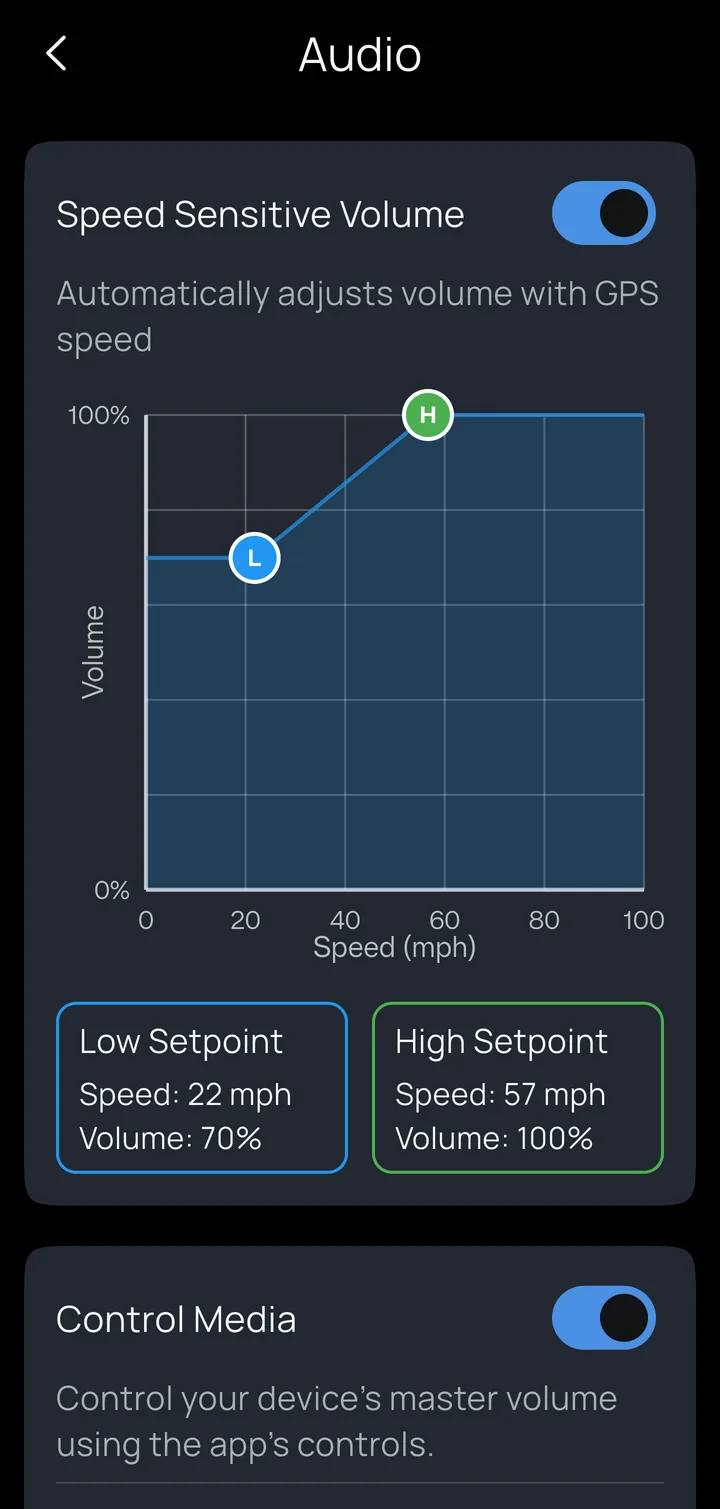
Control Media lets the app's volume controls (dashboard buttons and actions) change the phone's master volume.